
Hawaii News Now Weather
Gray MediaWeather
4.7337.00 Reviews
- Version
- 6.2.512
- Installs
- 100.00K
- Age Rating
- Everyone
Screenshots
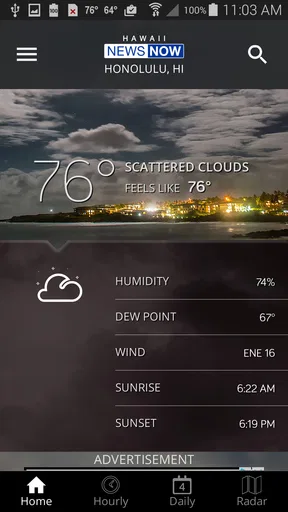
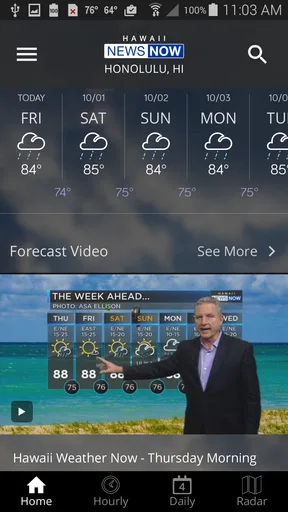
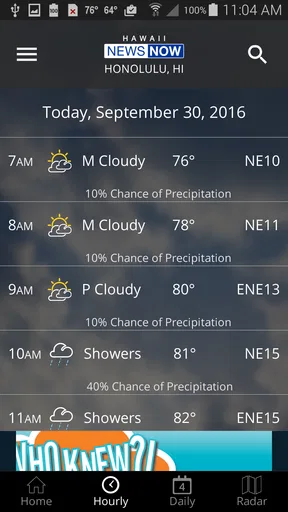
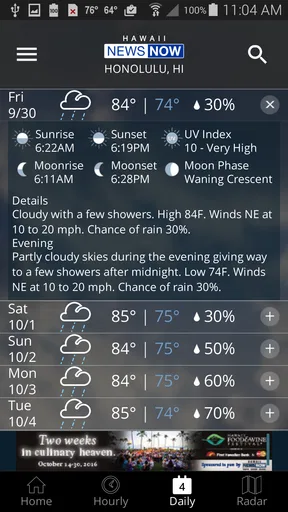
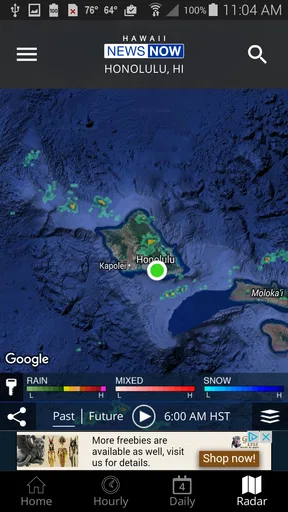
Our Review of Hawaii News Now Weather
 Analysis by Appyee
Weather apps are easy to overlook until a forecast affects a real decision: whether to leave early, bring rain gear, plan a beach day, or change a drive across the islands. I spent time with Hawaii News Now Weather as a local-focused weather app from Gray Media, and my overall impression is that it aims to make that first check quick rather than turning weather into a complicated dashboard. It is free, rated for Everyone, and has earned a 4.7 average from around 1.2 thousand ratings, which gives it a reassuring starting point for people who simply want a practical weather companion.
The app sits in a useful middle ground. It is more focused than opening a general web search for “weather near me,” but it does not try to replace every specialist weather tool. Its strongest appeal is the connection to Hawaii News Now and the way that local identity frames the experience. If you live in Hawaii, visit frequently, or make plans that depend on changing island conditions, that focus matters. If you want a worldwide weather workstation with extensive climate history, dense mapping, or highly technical forecasting tools, I would look elsewhere.
What to expect when you open Hawaii News Now Weather
My first expectation would be simple: open the app, find the relevant location, and get enough information to make the next decision. That sounds obvious, but many weather apps bury the useful part beneath animated backgrounds, promotional panels, or layers of data that are impressive but slow to interpret. Hawaii News Now Weather feels better suited to the person who wants a readable answer before heading out.
The app has been available since December 20, 2011, and the current release is version 6.2.512. That long presence gives it a different character from a brand-new forecast utility. It feels like an established companion connected to a familiar local news source, rather than an experiment built around a fashionable interface. Gray Media is the developer, and the app’s identity is clearly tied to Hawaii News Now rather than to a generic global weather brand.
That local emphasis is important because Hawaii does not behave like one uniform weather location. Conditions can change noticeably between nearby areas, and a forecast that seems right for one side of an island may not describe another area well. I would therefore treat the location selection as the most important part of the initial experience. Choosing a broad island label when I really need a specific town can make the app less useful, even if the forecast itself is presented clearly.
The best first habit is to verify the place before trusting the forecast. I would check the displayed location every time I add or switch between places, especially if I am traveling, comparing coastal and inland conditions, or moving between islands. This small step prevents a common weather-app mistake: reading a perfectly understandable forecast for the wrong area.
As a free app, it is easy to try without committing money. That makes it practical for a visitor who wants a Hawaii-oriented weather reference for a trip, as well as for a resident who wants a dedicated shortcut instead of repeatedly searching through a browser. Its Everyone age rating also makes it suitable for a household where different family members may need to check conditions.
Setting it up without overthinking the first screen
For a first-time user, I would approach setup in two stages. First, identify the location that matters most today. Second, spend a little time learning how the app presents its forecast before adding extra places. Adding several locations immediately can make the interface feel busier and can hide the simple routine that makes the app useful.
If I were preparing for a trip, I would start with the destination rather than my home location. That gives the app a clear job from the beginning: help me understand the conditions where I will actually be. Once that is working, I could add home or another planned stop if I regularly compare them. This is more helpful than collecting locations just because the option is available.
For daily use, I would also decide what question I am trying to answer. “Is it raining right now?” is different from “Can I plan an outdoor activity later?” and different again from “What should I expect during tomorrow’s drive?” A weather app becomes easier to use when I read the forecast in relation to a decision instead of scrolling through every available detail.
One useful trade-off is that a local news weather app may feel more approachable than a specialist service, but it may not satisfy someone who wants to compare multiple forecasting models or inspect highly technical atmospheric information. That is not a flaw in this particular app so much as a question of fit. Hawaii News Now Weather is a sensible first stop; it is not automatically the last stop for every weather question.
The first successful action: turning a forecast into a plan
The first meaningful success should happen within a minute or two: select the place you care about, read the current conditions, and use the forecast to make one small decision. For me, that might mean deciding whether to carry a light layer before leaving, whether to move an outdoor errand earlier, or whether a visitor should keep a flexible plan for the day.
I recommend testing the app with a real decision rather than simply browsing. Suppose I am leaving for a morning appointment and considering a walk afterward. I would open the app, confirm the location, check the current view, then look ahead to the period that covers the walk. If the information suggests changing conditions, I would make a backup plan. That workflow is more revealing than judging the app only by its colors or animations.
Another practical use is checking two locations before crossing an island. I would look at the departure area first, then the destination, and avoid assuming that one forecast represents the entire route. This is one of the more important Hawaii-specific habits a generic weather app may not encourage clearly. The app is most useful when I treat local variation as a reason to compare places, not as an inconvenience.
For visitors, the same approach works with a simple itinerary. Before heading to a beach, trail, lookout, or outdoor event, I would check the destination itself and then revisit the forecast shortly before leaving. I would not use one early check as a guarantee for the entire day. Weather information supports a decision; it does not eliminate the need to notice conditions in person.
For residents, the app can become a quick morning checkpoint. I would open it while planning the day, confirm that the selected location is still correct, and then close it once I have the information I need. That routine keeps the app from becoming another source of endless scrolling. The value is in reducing uncertainty, not in staring at every available weather detail.
Where new users may become confused
The most likely confusion is not finding a forecast but interpreting what it applies to. A location name can look familiar while still being too broad for the decision at hand. If I am planning something near a boundary between areas, I would compare the closest available locations rather than relying on a single general label.
Another point of friction is the difference between current conditions and a later forecast. A comfortable moment outside does not necessarily mean the rest of the day will stay comfortable, and a brief shower does not automatically define the whole forecast. I would read the time period connected to my plan instead of using the current screen as a shortcut for every later question.
It is also easy to mistake a clean presentation for certainty. A forecast can be easy to read and still change as conditions develop. My advice is to check again when the decision becomes important, particularly before a long outdoor activity or a drive to another part of an island. This is a good general practice, but it matters especially when local conditions can vary over short distances.
Some users may expect the app to behave like a complete news application because it carries the Hawaii News Now name. I would approach it primarily as a weather tool. Its value comes from getting weather information into a convenient local context, not from assuming that every news-related need belongs inside the same experience.
There is also a difference between a local weather app and a general-purpose phone weather widget. A widget can be faster for a glance, while this app may be preferable when I want to deliberately check a Hawaii location and think about the forecast. If speed is the only goal, the built-in option on a phone may be enough. If local focus and a dedicated weather destination matter more, Hawaii News Now Weather has a clearer reason to stay installed.
Useful routines beyond the first check
Once the basic workflow feels comfortable, I would use the app in three deliberate ways. The first is destination checking: look up the place I am going, not merely the place where I woke up. The second is comparison: check departure and arrival areas when travel or outdoor plans cross different local conditions. The third is timing: revisit the forecast near the moment a plan becomes difficult to change.
That timing habit is a non-obvious improvement because many people check weather too early and then treat the result as fixed. For example, if I am planning an afternoon outing, I would make an initial check in the morning for broad planning, then check again before leaving. The first check helps me choose clothing and alternatives; the second helps me decide whether to proceed.
A second useful habit is to keep the app focused on decisions that genuinely need weather information. I would not compare every available detail with another service unless the activity justified it. For routine errands, the app can be a quick local reference. For a demanding outdoor plan, I would use it as one input and pay attention to conditions directly. This avoids both overconfidence and unnecessary research.
A third insight is that the app may be especially convenient for households with different schedules. One person can check conditions for a commute, another can check a destination for an afternoon activity, and a visitor can use the same app to understand a separate area. The free price removes a barrier to trying that shared routine, although people who need advanced professional weather analysis may still prefer a more specialized service.
With around one hundred thousand installs, it has a meaningful user base without feeling like a universal weather platform used everywhere. I see that as part of its appeal and its limitation. Its identity is specific enough to be useful for Hawaii-oriented decisions, but someone who regularly travels across many countries may prefer an app designed around broad international coverage and a consistent global workflow.
Who should use it, and who should choose something else?
I would recommend Hawaii News Now Weather to Hawaii residents who want a straightforward local weather app, visitors who want a dedicated way to check conditions during a trip, and families who prefer a free tool with an Everyone rating. It is also a reasonable choice for people who find large weather platforms distracting and want a simpler path from opening the app to making a plan.
I would be less likely to recommend it as the only weather tool for someone who needs specialized forecasting, deep historical analysis, or a highly technical view of changing conditions. I would also suggest a broader alternative to a frequent international traveler who wants one app optimized for many countries rather than one with a strong Hawaii identity.
People who rely on a phone’s built-in weather display for occasional glances may not gain enough from installing another app. The decision comes down to whether the Hawaii News Now connection and dedicated local focus improve the way you check weather. If they do, the app earns its place. If your needs are limited to a quick temperature glance, the built-in option may be more convenient.
Privacy and setup expectations should also be handled practically: I would read the app’s current permission prompts and choose only the location approach that suits my routine. If I prefer manual checking, I would select places myself. If I want the app to follow my current area, I would review what the phone asks before allowing it. The important point is to understand the choice instead of tapping through setup automatically.
My next-step verdict after regular use
After the first successful check, I would keep the app only if it makes a recurring decision easier. For me, that means confirming a location quickly, checking the time period that matters, and using the result to adjust a plan without unnecessary effort. The app is at its best when it stays in that practical role.
I like that Hawaii News Now Weather is free, locally oriented, and easy to approach. Its strong 4.7 average and roughly 1.2 thousand ratings suggest that many users find the experience worthwhile, while the 100K-plus install count shows that it has reached a solid audience. Those figures do not replace personal testing, but they fit my impression of an established app rather than an untested download.
My main caution is to avoid treating any single forecast as a promise, especially when plans involve different parts of an island or extended time outdoors. Check the exact place, read the relevant period, and look again when the decision is close. That workflow makes the app more dependable without asking it to do more than a weather app should.
In the end, I would recommend Hawaii News Now Weather to anyone who wants a focused Hawaii weather check connected to a familiar local source. It is not the right choice for every forecasting style, but it gives first-time users a reassuring path: choose the location, understand the forecast, apply it to a real plan, and return when conditions matter again. For everyday local decisions, that is a useful balance of clarity and practicality.
Verdict
Strengths of Hawaii News Now Weather
- Accurate local forecasts tailored to Hawaii’s islands and microclimates.
- Useful hurricane, tsunami, and severe-weather alerts for residents and visitors.
- Live radar helps track rain showers and storms in real time.
- Weather videos and forecasts provide helpful visual explanations.
- Simple layout makes current conditions and forecasts easy to find.
Limitations of Hawaii News Now Weather
- Some alerts may feel excessive during frequently changing island weather.
- Forecast accuracy can vary between remote areas and larger cities.
- The app may use noticeable battery and data for location and radar features.
- Advertising can reduce the clean feel of the forecast experience.
- Some advanced weather details may require several taps to access.
Other Releases by Gray Media
View All
KY3 Weather
Weather4.6

Telemundo Atlanta
News & Magazines4.3

FOX5 Vegas - Las Vegas News
News & Magazines2.9

WAFF 48 First Alert Weather
Weather4.6
Similar Picks in This Category
View All
Weather - By Xiaomi
Xiaomi Inc.4.1

Weather & Radar Forecast
WetterOnline4.8

Weather
OneLouder Apps4.6

AccuWeather: Weather Radar
AccuWeather3.6

The Weather Channel - Radar
The Weather Channel4.6

1Weather Forecasts & Radar
OneLouder Apps4.3
Frequently Asked Questions
What is Hawaii News Now Weather?
Hawaii News Now Weather is a weather-focused mobile app designed for people who live in or travel around Hawaii. It provides current conditions, hourly and extended forecasts, radar imagery, weather alerts, and local updates. The app is especially useful for checking changing island conditions, including rain showers, strong winds, tropical weather, surf-related conditions, and other hazards that can vary significantly between locations.
What weather information does the app provide?
The app typically offers local forecasts, current temperature, feels-like conditions, wind speed and direction, humidity, precipitation chances, and visibility information. Users can also check hourly and multi-day forecasts, view radar maps, and follow severe weather notifications. Because Hawaii’s weather can differ from one neighborhood to another, location-based forecasts and saved locations make it easier to monitor conditions for home, work, travel, or outdoor activities.
Does Hawaii News Now Weather send severe weather alerts?
Yes, the app is intended to help users stay informed about important weather developments and may provide notifications for severe conditions, tropical systems, flooding, high winds, and other local hazards. Alert availability can depend on your selected locations, device notification settings, and official weather information. It is still wise to keep emergency notifications enabled and follow instructions from local authorities during dangerous conditions.
Does the app use my location?
Hawaii News Now Weather can use your device’s location to show forecasts and alerts for the area where you are currently located. You can usually allow location access while using the app, allow continuous access if supported, or choose locations manually. If privacy is a concern, selecting specific cities or islands instead of granting location permission may be preferable, although location-based features and automatic local alerts could be less convenient.
Is Hawaii News Now Weather free to download and use?
The app is generally available as a free download, allowing users to access essential forecasts, radar information, local weather updates, and alerts without purchasing a subscription. Depending on the version and platform, it may include advertising or optional features. Mobile data may also be used when loading maps, videos, or updated forecasts, so users should check their data plan and review the app-store listing for current availability and requirements.
